Make Lighting Respond to the Way You Use Your Space
Knightsbridge sensors help automate lighting around movement, occupancy or ambient light. Whether you want an entrance light to respond when someone approaches or indoor lighting to operate when a space is occupied, start with the behaviour you need.
Automatic controls can reduce unnecessary lighting when correctly selected and adjusted. The right choice depends on the space, the connected lights and whether you need movement detection, occupancy detection or control based on daylight.
Knightsbridge is the lighting and electrical accessories brand from ML Accessories. You may see both names in product documents; use the exact sensor code when checking specifications, accessories and installation instructions.
Compare PIR, Photocell and Occupancy Detection
PIR Movement Sensors
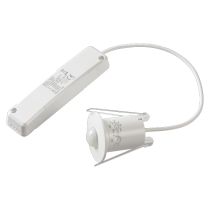
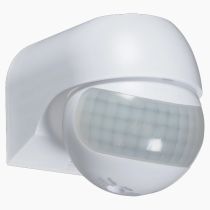
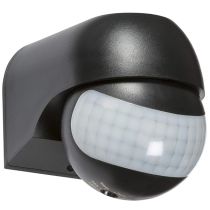
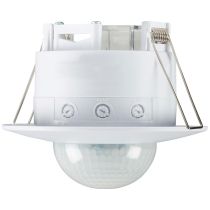
PIR sensors are a practical option for movement-triggered lighting. Compare detection angle, range and mounting requirements around the route people will take. Selected models offer adjustments for operating time and ambient light level.
Photocell and Daylight Controls
These controls respond to ambient light rather than occupancy. Photocell switches can control lighting as daylight changes, with timed operation on selected models. A daylight sensor designed for a control interface must be matched to compatible lighting equipment.
Microwave and mmWave Sensors
Radar-based sensors offer another approach to detection. Selected mmWave occupancy models are designed to detect smaller movements as well as people walking through a space. Choose the technology around the activity and coverage required.
Movement detection and occupancy detection are not interchangeable descriptions. A route used by people walking through may have different needs from a room where someone remains seated. Compare the sensor’s stated capabilities rather than selecting solely by its appearance.
Check Coverage, Mounting and LED Load Compatibility
Plan the mounting position before comparing detection distances. Coverage depends on the specified mounting height, orientation and detection pattern. Recessed sensors require a suitable opening and space above the ceiling, while surface-mounted models have their own fixing and cable-entry requirements.
Check the switching capacity specifically stated for LED lighting. A sensor’s rating for incandescent lamps may be higher than its permitted LED load. Compare the connected fittings and drivers with the manufacturer’s load limits and any restrictions on the number of lights controlled.
Also check the supply, wiring arrangement and control method. A switching sensor and a sensor intended for a dimming interface serve different purposes. Confirm compatibility with the lighting system rather than assuming every sensor can connect directly to any fitting.
Choose environmental protection for the intended location. The manufacturer range includes indoor IP20 controls and higher-rated models for other installation conditions. Follow the selected product’s instructions for permitted use, positioning and adjustment.
Set up for the space: Where available, adjust detection sensitivity, time delay and ambient-light threshold after installation. Have your electrician confirm coverage and operation so the lighting responds where and when it is needed.
Lighting Sensor FAQs
Should I choose a movement sensor or a photocell?
Choose movement detection when lights should respond to someone entering or moving through an area. Choose a photocell when operation should depend on ambient light. Some movement sensors also include an adjustable light threshold; check the exact model’s functions.
Can Knightsbridge sensors control LED lights?
Many models specify an LED switching capacity. Check the exact sensor’s LED load limit and compatibility requirements against the connected lights and drivers. Do not use its incandescent rating as the permitted LED rating.
What does the lux setting on a sensor do?
Where provided, the lux setting adjusts the ambient-light threshold for operation. It can allow movement-triggered lighting to operate only when the surroundings are dark enough. It does not adjust the brightness of the light itself.
Will a PIR sensor detect someone sitting still?
Do not assume a movement-triggered PIR will maintain detection when someone remains still. Check its stated capabilities and time delay. Where detection of smaller movements matters, compare occupancy sensors designed for that purpose.
Are all Knightsbridge sensors suitable for outdoor use?
No. Check the individual product’s IP rating and installation instructions. IP20 models are intended for indoor conditions. For outdoor applications, select a model explicitly suitable for the intended location and exposure.
Can a sensor be surface-mounted or recessed?
This depends on the model. Some Knightsbridge sensors support both methods, while others are designed for a particular mounting arrangement. Check the supplied components, cut-out size, installation depth and permitted orientation before ordering.
Does a lighting sensor replace an emergency lighting supply?
No. A lighting sensor controls operation and does not provide battery backup. Where emergency lighting is required, the control and wiring arrangement must preserve the emergency system’s intended operation. Have the installation designer or electrician confirm suitability.